Money-Saving Apps and Tools Worth Using in 2026
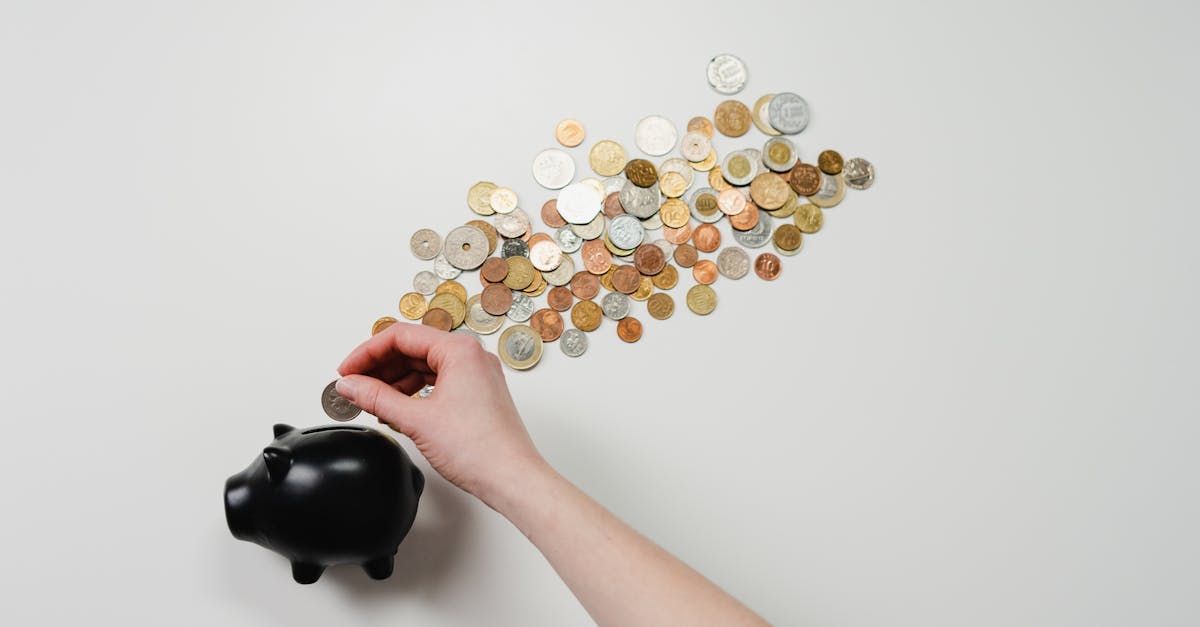
Which money-saving apps and tools are actually worth your time and phone storage? The best money-saving apps and tools for 2026 solve a specific problem — they automate savings you'd otherwise forget, or they show you exactly where your money drains. We've tested the landscape and separated the genuinely useful from the "feel good but useless" category. Here's what works.
Money-Saving Apps That Actually Work
The best money-saving apps fall into three clear categories.
Round-up and micro-saving apps (e.g. Snoop, Emma, Chip) These apps connect to your bank account and round up each purchase to the nearest pound, stashing the difference into savings. Spend £4.73 on coffee → the app saves 27p. Do this 20 times and you've saved £5.40 without thinking. Over a year, depending on spending habits, you could save £200–500.
The catch: savings are small. But the real win is that it's automatic — you can't spend money you've already stashed. That psychological trick matters more than the maths.
Cashback and rewards apps (e.g. TopCashback, Quidco, Airtime Rewards) These track your purchases and rebate a percentage at partner retailers. Spend £100 at John Lewis and get 5% cashback = £5 back. Spend £50 at Sainsbury's and get 1.5% = 75p.
The trap: you feel like you're making money, so you spend more. If an app encourages you to buy things you wouldn't otherwise, it's saved you nothing. Read the honest reviews — our guide on loyalty cards and rewards digs into which have genuine value and which are marketing tricks.
Subscription trackers (e.g. Subscribed, Trim, SavvyMoney) These detect recurring charges and alert you when subscriptions renew. Streaming services, gym memberships, app subscriptions — they surface the forgotten ones. The average UK household has £60–100/month in subscriptions they don't use. If an app finds one £10/month subscription you've forgotten about, you've paid for the app a hundred times over.
Budgeting and Spending Trackers
Apps like YNAB (You Need A Budget), Money Dashboard, and Emma connect to your current account and categorise your spending automatically. You see patterns: "I spent £320 on food this month, £85 on coffee" — revealing whether that's intentional or alarming.
The paradox: you don't save money using the app. You save money with the information the app reveals. If you realised you're spending £300/month on takeaways and you cut it to £150, the app didn't save you — you did. The app was just the torch.
Most charge £5–15/month. If you use one and cut one unnecessary expense (even £20/month), you've broken even. Read how to save money on a tight budget for specific strategies these apps help you execute. If you're on a tighter budget, here's how to save on a low income.
Apps for ISAs, Pensions, and Investment Goals
If you've built savings, apps make growing them frictionless. Apps like Chip and Plum offer "round-up into an ISA" features. Your ISA allowance is £20,000/year — a tax-free wrapper where savings grow without paying tax on interest or gains.
Pension apps (Nest, Vanguard) and investment trackers (Freetrade, AJ Bell, Interactive Investor) let you contribute with minimal friction. The app doesn't make the money; time and compounding do. But the app removes friction, and that matters because most people don't start because traditional processes feel too complicated.
Read smart ways to use your tax refund — the same principles apply to any windfall or monthly savings surplus.
Quick Wins You Can Do This Week
- Audit your subscriptions — if you haven't used a service in the last month, cancel it. You can always resubscribe.
- Set up a savings standing order — even £25 on payday, automated so the money leaves before you can spend it.
- Check your phone contract — SIM-only deals are £8–15/month. If you're paying £40+, you're paying for a handset you've already paid off.
- Bring lunch twice a week — a meal deal costs £4–5. A homemade lunch costs £1–2. Twice a week saves £300–400/year. Meal planning makes this easier.
- Switch energy supplier — takes 15 minutes online. Under the Ofgem price cap, savings are smaller than pre-2022 but still worthwhile.
These aren't dramatic lifestyle changes. They're small adjustments that free up money for what you actually care about.
How to Know If a Money-Saving App Is Actually Worth Your Time
The math check: Does the app cost money? How much would you realistically save per month? Break-even point = monthly cost ÷ monthly savings. If it's more than 3 months, skip it.
Example: An app costs £5/month. If it saves you £20/month on forgotten subscriptions, break-even is 1.5 months. Worth it. If it saves £3/month through cashback you had to hunt for, break-even is 20 months. Probably not.
The behaviour check: Does this app encourage you to spend less, or spend more? Do you feel more in control of your money? Apps that gamify saving (earn badges, compete with friends) can backfire — if you're buying things to get cashback, the app has failed.
The time check: How much time do you spend on this app weekly? Is that time worth the savings? A subscription tracker that takes 5 minutes to set up and alerts you automatically? Great. An app that asks you to log every purchase manually? Probably not.
The Big Wins Still Come From the Big Three
Here's the hard truth: the biggest money-saving opportunities aren't in apps. They're in the three categories where you spend most money: housing, transport, and subscriptions.
Housing (typically 30–40% of income): If you're paying a mortgage, your rate matters enormously. Remortgage every 5 years or when your fixed rate ends. Switching from 5.5% to 5.1% on a £250,000 mortgage saves about £80/month, or £960/year — a figure no app will touch. Use a remortgage calculator to check your current deal annually.
Read how to save money on your mortgage for seven specific strategies. If renting, negotiate at renewal — landlords prefer keeping a good tenant over a void period that costs them £1,000+.
Transport (typically 10–15% of income): The average UK car costs £3,500/year to run (fuel, insurance, tax, maintenance, depreciation). If you drive under 5,000 miles/year, a car club or rental-as-needed is mathematically cheaper.
Never renew car insurance on auto-renew. Switching saves £150–300 on average. Shop 3 weeks before renewal. Read how to save money on insurance premiums for specific steps.
Subscriptions (the silent drain): Apps are great at finding these, but you still have to cancel them. The average UK household has £60–100/month here. That's £720–1,200/year. Find and cut five forgotten subscriptions and you've freed up more money than any savings app will generate in a year.
Frequently Asked Questions
Are money-saving apps safe? Apps that connect to your bank need your login credentials. Check: Is the company FCA-regulated? You can verify this on the FCA Register. Does it use open banking (Plaid, Tink) or direct access? Open banking is safer because the app never sees your password. For established apps (major bank apps, YNAB, Snoop), yes, they're safe. For unknown startups with poor reviews, probably not.
Do I need an app to save money? No. An app is a tool. The discipline comes from you. You can save money with a spreadsheet, a notebook, or just paying attention. Apps help because they're automatic and visual. But if you're the type who deletes notification alerts, an app won't fix that.
Which app should I use? It depends on your problem. Forgetting subscriptions? Use Subscribed or Trim. Spend without thinking? Use a round-up app like Chip or a budgeting app like YNAB. Want to invest your savings? Use Freetrade or Vanguard. Don't use all of them. Pick one, set it up, use it for a month, then decide if it's worth keeping.
How much can I realistically save with these apps? Round-up and cashback apps: £100–400/year. Subscription trackers: £200–1,200/year (the average UK household has £60–100/month in forgotten subscriptions). Budgeting apps: £1,000–5,000/year if you actually change your behaviour based on what you learn. The last one is the biggest, and it requires action.
Are there free options? Yes. Your bank probably has a budgeting tool built into its app. Emma offers a free tier. MoneyHelper is completely free and government-backed. A spreadsheet is free.
Should I link all my accounts to a single app? One app with all your accounts gives you the full picture (powerful) but concentrates your risk (if hacked, they see everything). Most people use 2–3 apps: one for budgeting, one for subscriptions, one for investing.
Build Your Money-Saving Stack
Download one app this week. Pick the specific problem it solves (forgotten subscriptions, chaotic spending, growing an ISA). Set it up. Use it for a month. If it saves you more than it costs and you're actually using it, keep it. If not, delete it.
The real money-saving hack isn't an app — it's three things: knowing where your money goes, having a goal for where you want it to go, and automating the gap between the two. Apps help with all three. But you're the engine. The app is the gearbox.