Daylight Saving Time: When Clocks Change and How It Affects You
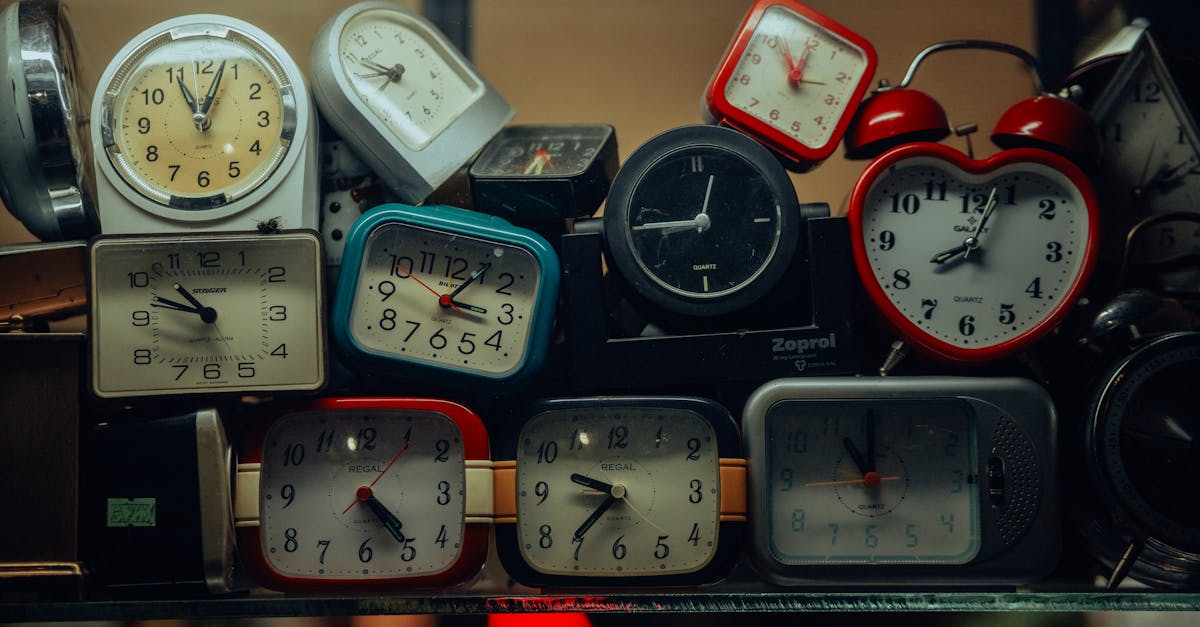
Daylight saving time — when clocks spring forward in March and fall back in October — is one of those events that catches people off guard if they're not paying attention. In the UK, this means an extra hour of evening daylight in summer and an extra hour of sleep in winter, but it also means scheduling complexity if you work across time zones. This guide explains when the clocks change, why it happens, and how to plan around it.
When Do the Clocks Change?
In the UK, clocks change twice a year on the last Sunday of the month:
- Spring forward (last Sunday of March): Clocks jump from 1:00 AM to 2:00 AM. You lose one hour of sleep.
- Fall back (last Sunday of October): Clocks go back from 2:00 AM to 1:00 AM. You gain one hour of sleep.
In 2026, that's 31 March and 25 October. Mark these dates on your calendar now — you'll thank yourself when you don't scramble on Sunday night wondering if your meeting times have shifted.
During the summer period (late March to late October), the UK runs on British Summer Time (BST), which is GMT+1. During winter, it's Greenwich Mean Time (GMT), which is UTC+0. So when we say "clocks change," we're talking about a one-hour shift in official time that ripples through your calendar, your sleep schedule, and your international meetings.
For official dates and times, the UK government page on clock changes has the schedule and guidance.
How Daylight Saving Time Works
Daylight saving shifts an hour of daylight from morning to evening. The sun doesn't rise or set at a different time — we just reset our clocks so that daylight hours align with when most people are awake and working.
On the spring change date, one hour literally ceases to exist. Clocks jump from 1:59 AM directly to 3:00 AM. If you've set an alarm for 2:30 AM, it won't fire. If you're running a scheduled task at 2:00 AM, it won't run — the system skips that time entirely.
On the fall change date, one hour occurs twice. Clocks go backwards from 1:59 AM to 1:00 AM. If you've scheduled something for 1:30 AM, it technically happens twice — once on the "first" 1:30 and again on the "second" 1:30.
For 99% of users, this is invisible. Your phone, laptop, calendar, and cloud apps all auto-update when daylight saving hits. But if you're managing times manually — scheduling batch jobs, coordinating meetings across time zones, or billing by the hour — you need to be aware of the shift.
Why We Do This, and Who Else Observes It
Daylight saving started during World War I as an energy-saving measure. The logic was that if people worked during daylight hours, they'd use less artificial lighting. That reasoning is outdated (modern energy use is dominated by heating, cooling, and electronics), but the practice stuck because it benefits retailers, tourism, and outdoor recreation — industries that prefer evening daylight during operating hours.
Not everyone observes daylight saving. Most Asian countries (China, Japan, India, Singapore) don't. Australia does, but on a different schedule — April to October, opposite to the Northern Hemisphere. The USA observes it, but on different dates than the UK: clocks change on the second Sunday of March and first Sunday of November. This creates a scheduling mess in transition weeks.
For example, in late March, the UK has already shifted to BST (GMT+1) but the USA hasn't yet shifted to EDT (UTC-4). For two weeks, the time gap between London and New York is four hours instead of the usual five. Then the US shifts forward, and the gap is back to five. When you're scheduling meetings across time zones, these transition weeks are when scheduling errors happen.
Why Daylight Saving Affects Your Schedule More Than You Think
If you think daylight saving is a minor inconvenience, you're half right. For most people, the one-hour shift is automatic — your phone handles it. But here's where it bites hard:
Sleep disruption: The spring change genuinely affects you. Research suggests a small uptick in accidents on the Monday after clocks spring forward, though the evidence is debated. More commonly, people just feel groggy for a few days. The fall change is gentler — you gain an hour of sleep that night.
Time zone confusion: If you work with US, Australian, or Asian colleagues, the transition weeks create temporary offset changes. A 5-hour gap becomes 4 hours. A 16-hour gap becomes 15 hours. Use a time zone converter that handles daylight saving automatically rather than calculating offsets by hand. Manual maths during transition weeks is how missed meetings happen.
Project scheduling: If your deadline straddles the daylight saving change, that day has 23 hours (spring) or 25 hours (fall). This doesn't usually matter for normal projects, but if you're managing something time-critical — like a scheduled batch job, a live event, or a server maintenance window — it absolutely does. Calculate the exact number of days between your start and deadline, and note any transition dates in that range.
Business metrics: If your company tracks daily or hourly metrics, daylight saving creates an anomaly. A 23-hour day in March and a 25-hour day in October change your daily averages by 4–5%. If no one's accounting for this, it looks like something changed when really, the clock just shifted. Freelancers who track time across time zones need to be especially careful.
International travel: If you're flying on a daylight saving change date, your local time at departure shifts but your flight duration doesn't. A London–New York flight on the day the US changes clocks will show an arrival time that's only 6 hours ahead of departure, even though the flight took 7 hours.
How to Prepare for Clock Changes
Update your devices early: Most modern phones, laptops, and cloud apps auto-update when daylight saving hits. Older hardware, smart home devices, and systems that don't connect to the internet might not. Check your key devices the week before each change. If you manage time in spreadsheets or databases, make sure your formulas account for the time shift.
Set a reminder: Put daylight saving dates (31 March and 25 October) in your calendar now with a notification for the Friday before. It takes 10 seconds and saves you confusion on Sunday night. If you're planning projects, also mark UK bank holidays — daylight saving combined with a bank holiday can create an even tighter week.
Adjust your sleep gradually: If you're sleep-sensitive, shift your bedtime 15 minutes earlier starting three days before the spring change. You'll still lose an hour, but the adjustment feels less jarring.
Communicate with your team: If you work across time zones, send a message the week before each change. "Clocks go forward on 31 March — our usual 9 AM GMT standup moves to 10 AM BST on Monday, and stays there until October." Clarity prevents scheduling errors and 15-minute zoom-call delays while people figure out who's late.
Plan projects with transition dates in mind: If you're calculating time differences for a multi-phase project, mark the daylight saving dates as inflection points. Add or subtract days from your schedule to account for the transition, and you'll avoid surprises.
Frequently Asked Questions
Q: Do all countries observe daylight saving time? A: No. Most of Asia (China, Japan, India) doesn't. Most of Africa doesn't. Australia does, but on a different schedule (April–October in the Southern Hemisphere). The USA does, but on different dates than the UK. This staggered approach is why international scheduling requires a tool, not a calculator.
Q: When will the UK stop doing daylight saving time? A: Maybe never, maybe soon — it's debated. The EU has discussed abolishing it multiple times. The UK hasn't committed to a change yet. There are arguments both ways (sleep, traffic safety, energy use, mood), but for now, plan on it continuing indefinitely.
Q: What if I'm flying on a daylight saving date? A: Your flight time doesn't change, but local time at your destination does. If you're flying London to New York on the day the US changes clocks, your watch will show something different than the destination airport's clocks. Modern travel apps handle this automatically, but if you're coordinating arrival times with someone, be explicit about whether you mean local or UTC time.
Q: Does the hour I lose in spring come back in October? A: Literally, yes — you gain that hour when clocks fall back. But you don't necessarily "recover" it. If you're sleep-deprived in March, sleep debt takes a few days to clear. October's extra hour doesn't magically undo March's grogginess.
Q: How do I handle daylight saving time if I bill clients by the hour? A: Be transparent. On a 23-hour day (spring), you work fewer hours. On a 25-hour day (fall), you work more. Most freelancers just bill based on their calendar hours worked, which is the simplest approach. If you track time electronically (which you should), your system should auto-adjust to local time.
Q: Why does daylight saving happen on different dates in different countries? A: Each country sets its own energy, health, and economic policies. The UK aligns with EU dates. The USA chose different dates based on its own analysis. Australia's Southern Hemisphere schedule is opposite. There's no global coordination — it's decided locally, which is why scheduling internationally is complicated.
Q: What's the difference between daylight saving time, British Summer Time, and GMT? A: No difference in practice — they're the same concept. British Summer Time (BST) is the UK's name for daylight saving time. GMT is Greenwich Mean Time, the UK's winter time (UTC+0). Some countries call it "summer time" or "daylight time," but the principle is identical: shift an hour of daylight from morning to evening.
Tools That Make Scheduling Across Daylight Saving Easier
When clocks change, use these tools to avoid errors and confusion:
- Time zone converter: Handles daylight saving transitions automatically. Enter your time and it shows everyone's local time, even during transition weeks.
- Calculate time differences across countries: When you're unsure of your exact time offset, this does it for you.
- Schedule across multiple time zones: Find meeting times that work for global teams without manual calculation.
- Add or subtract days from a date: For deadlines that span daylight saving changes.
- Calculate days between two dates: Project planning with exact day counts.
There are two ways to think about daylight saving time: "I gained an extra hour of evening daylight" and "I lost an hour of sleep." Both are correct. Plan ahead, use the tools above, and you'll spend less time confused than the hour you'd lose otherwise.